

Email Templates
An email template is a message a workflow can send: a welcome email to a new employee, a heads-up to their manager, an alert to security when someone in Finance leaves. You write it once with variables like {{ first_name }}, and Adcyma fills them in for each person.
Important: Templates are only sent by a Send Email step in a Workflow. Saving a template doesn't send anything.
Page Layout
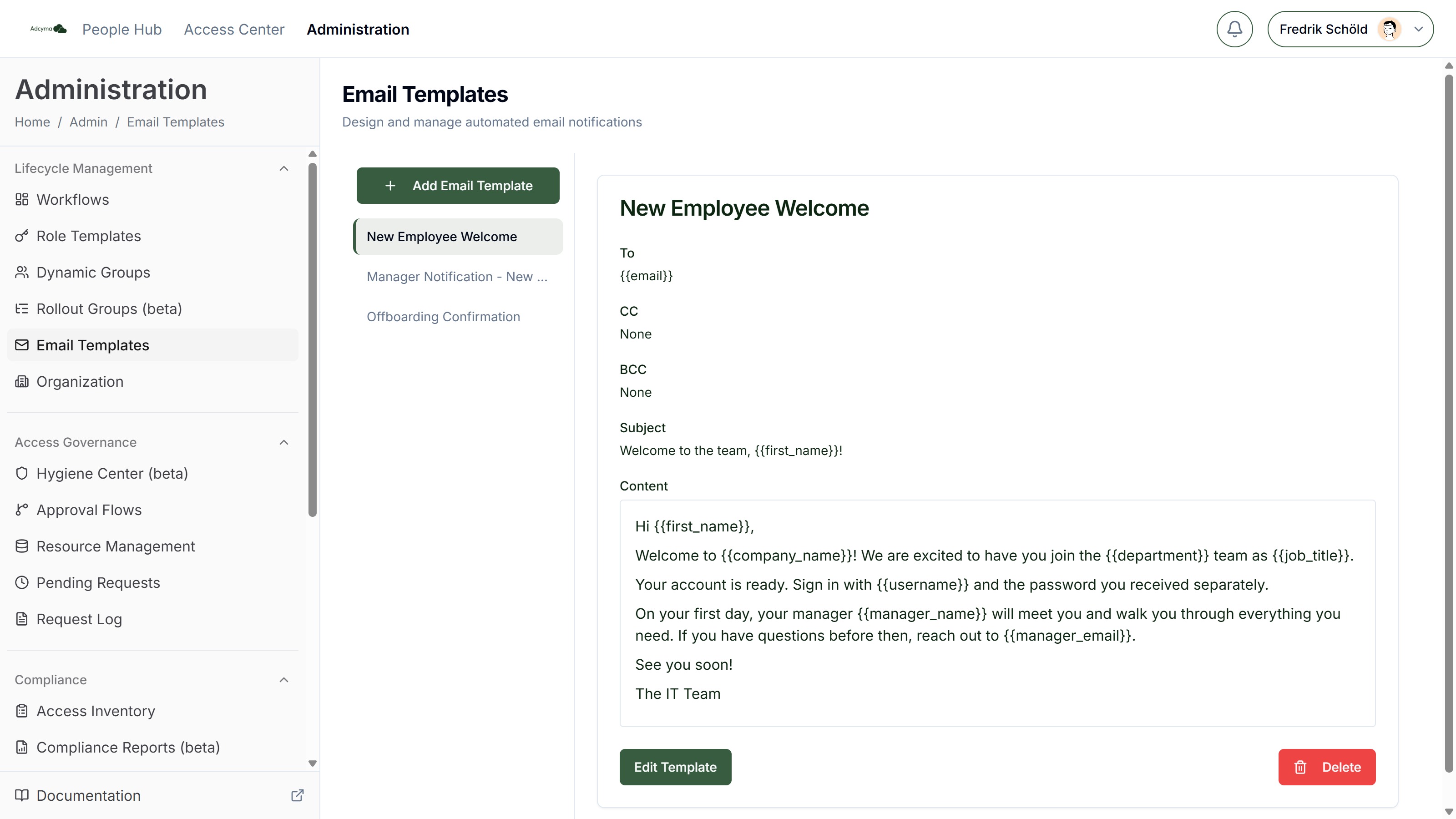
The sidebar has Add Email Template and, once you have more than three templates, a search box. A red warning icon next to a template means it can't be sent as it is. Select a template to see its recipients, subject and content, with Edit Template and Delete below. Delete asks for confirmation and can't be undone.
Creating a Template
Click Add Email Template and fill in the fields. To and Subject are required.
Title The name you pick the template by in a workflow's Send Email step. Recipients never see it.
To / CC / BCC Who gets the email. Each field takes email addresses and the two address variables, {{ email }} for the person the workflow runs for and {{ manager_email }} for their manager. Separate several with commas, for example {{ manager_email }}, it@example.com. Use BCC for hidden recipients, like a shared mailbox that keeps a copy.
Subject The subject line. Any variable works here.
Body The message. The toolbar has bold, italic, underline, bullet lists, numbered lists and a Variable button. Any variable works in the body.
Each of To, CC, BCC and Subject has its own Variable button that inserts a variable where the cursor is. You can also type a variable as {{ name }}. Spaces inside the braces don't matter.
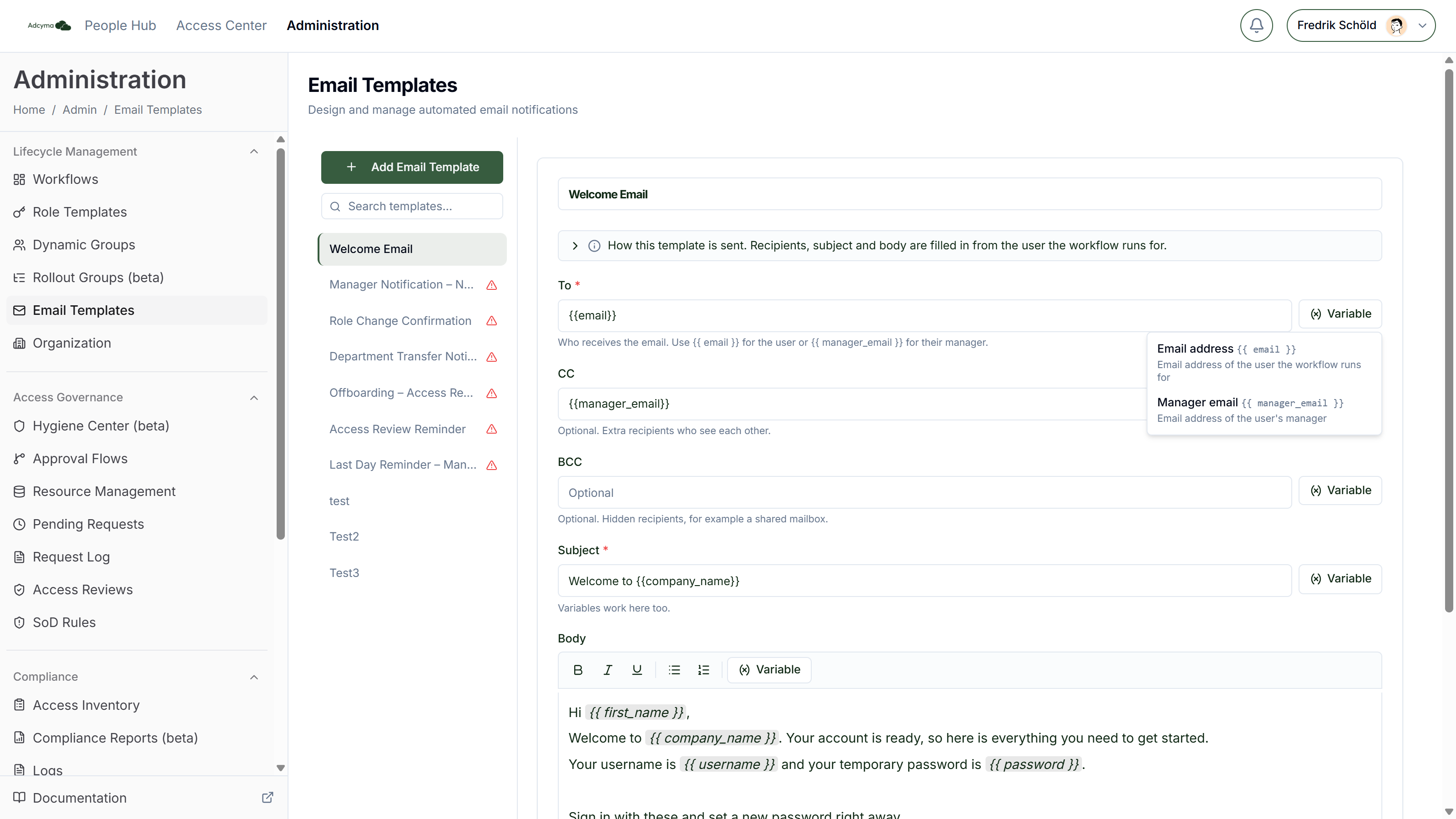
The panel How this template is sent at the top of the editor sums up these rules and lists every variable.
Checks before you save
The editor won't save a recipient field that contains something other than addresses and the two address variables. {{ first_name }} in the To field, for example, is refused with a message explaining why.
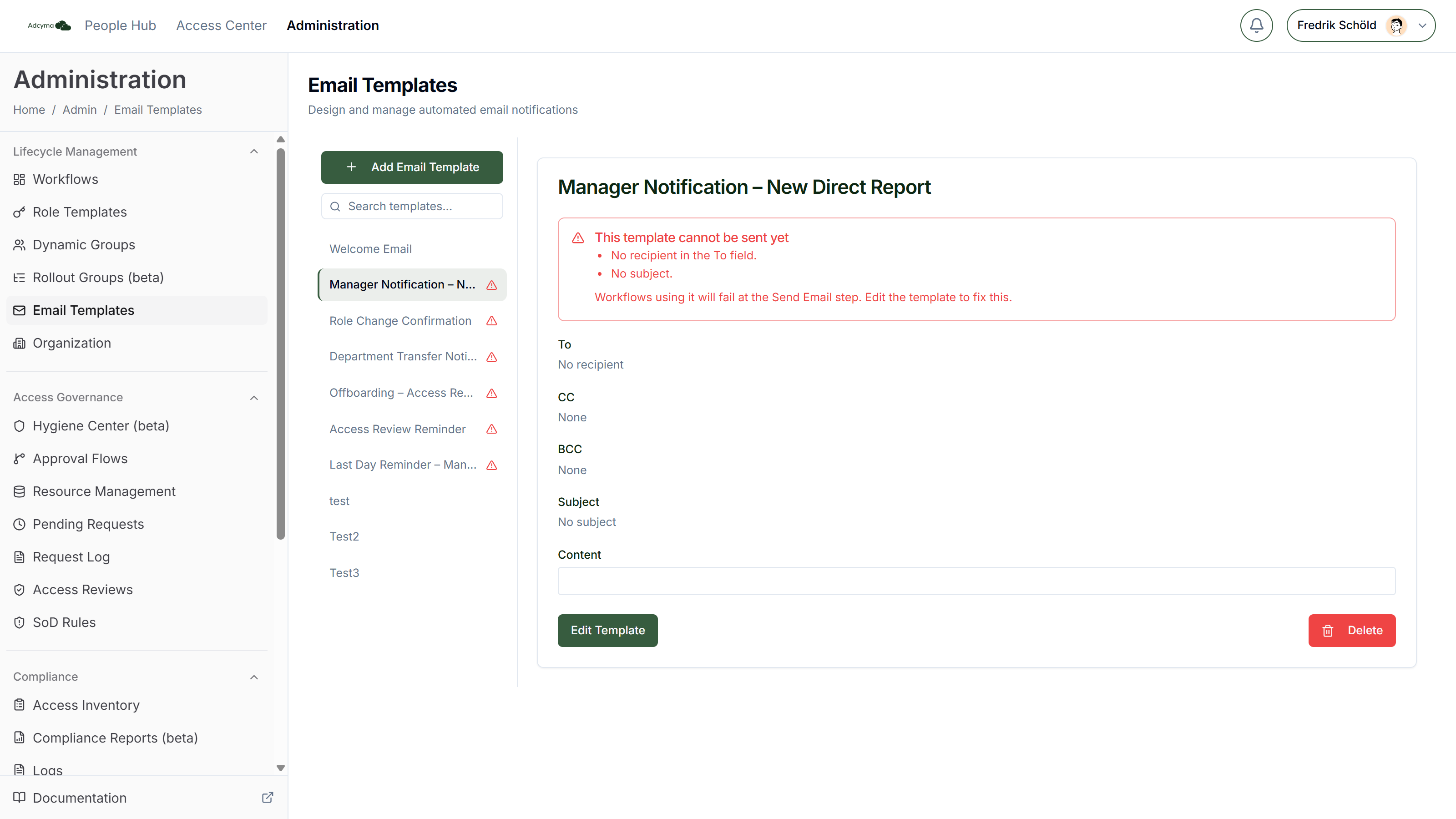
A saved template that still can't be sent shows This template cannot be sent yet, with the reasons:
- No recipient in the To field
- No subject
- A variable in the subject or body that doesn't exist. It would be sent exactly as typed.
The same warning shows on a workflow's Send Email step when it uses that template.
Preview
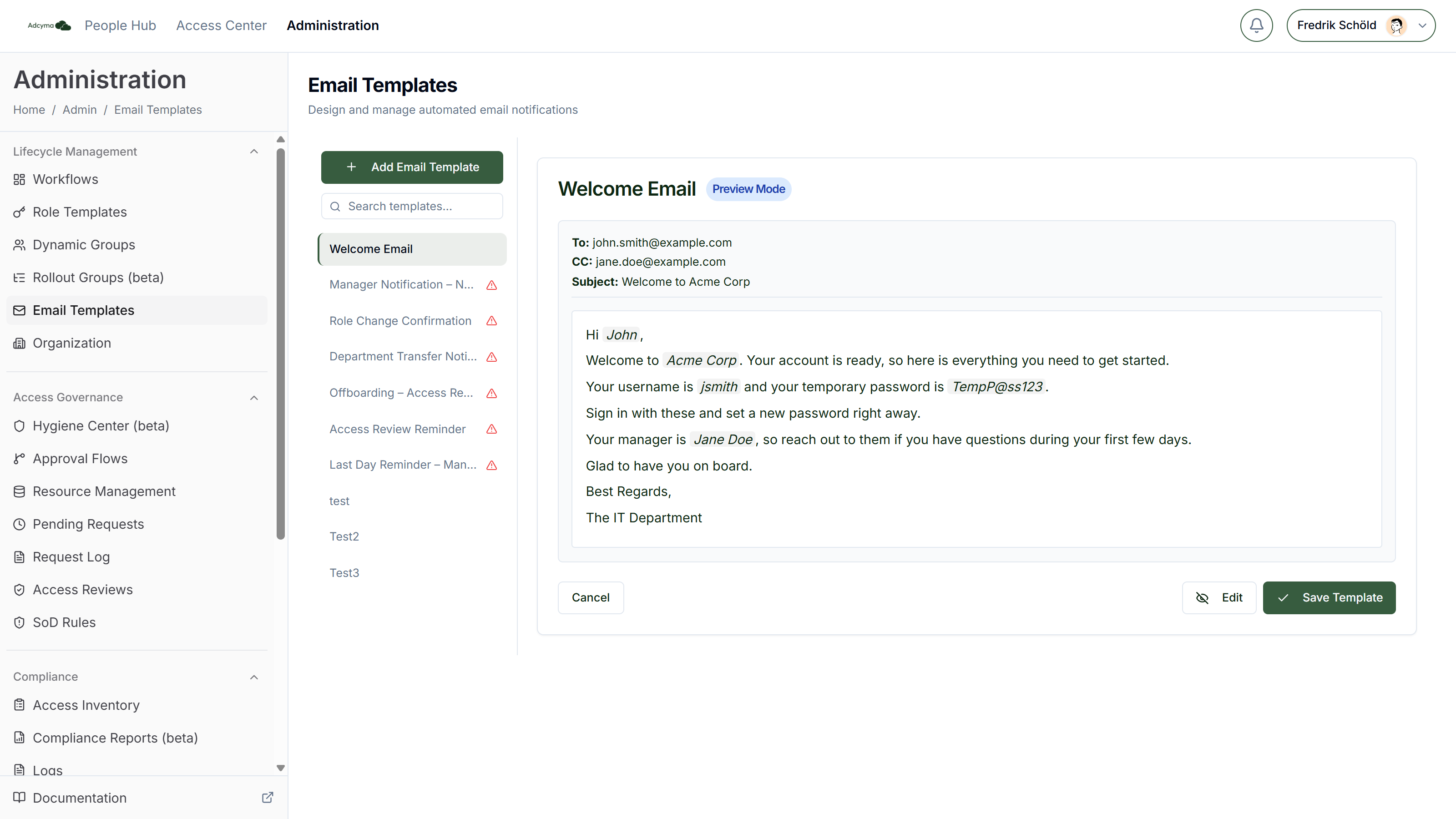
Click Preview while editing to see the subject and body with sample values, such as John Smith, Software Engineer and Acme Corp. Click Edit to go back. The preview doesn't show the recipients or the email layout.
Template Variables
| Variable | Label in the menu | Filled in with | Sample in Preview |
|---|---|---|---|
{{ email }} | Email address | The user's email address, or their sign-in name if they have no mailbox | john.smith@example.com |
{{ manager_email }} | Manager email | The manager's email address | jane.doe@example.com |
{{ first_name }} | First name | The user's first name | John |
{{ last_name }} | Last name | The user's last name | Smith |
{{ display_name }} | Display name | The user's display name, or first and last name if there is none | John Smith |
{{ username }} | Username | The user's sign-in name (user principal name) | jsmith |
{{ password }} | Password | The first-time password of a newly created account. See below. | TempP@ss123 |
{{ manager_name }} | Manager name | The manager's display name | Jane Doe |
{{ job_title }} | Job title | The user's job title | Software Engineer |
{{ department }} | Department | The user's department | Engineering |
{{ office }} | Office | The user's office location | Malmö |
{{ company_name }} | Company name | Your company name as registered in Adcyma, see Company Profile | Acme Corp |
Only {{ email }} and {{ manager_email }} can be used in To, CC and BCC.
How the values are filled in
When a Send Email step runs, Adcyma looks up the person in its copy of your directory and takes the values from there. For someone who has just been created, it uses the details from the New Employee request where the directory doesn't have them yet. The manager's name and email come from the manager's own record.
When a variable has no value for this person:
- In Subject and Body it is left blank.
- In To, CC and BCC that recipient is left out, and the step's log says why.
- If the To field ends up empty only because a variable was empty, the step is marked Skipped, not failed. This is what happens when a "notify the manager" email runs for someone without a manager. If the To field is empty for any other reason, the step fails and the reason is in Logs.
A variable name that doesn't exist is sent exactly as typed, braces and all, so the mistake is visible.
The password variable
{{ password }} holds the first-time password Adcyma set when it created the account. It is only filled in for a Send Email step in the same New Employee request as the Create User step that made the account, and only until Adcyma's next directory sync refreshes that user. In any other email it is blank.
The user has to change the password at first sign-in. Send it to someone who should have it, usually the manager or the person's private address, not to the new mailbox they can't open yet. Reset Password steps don't fill this variable.
Variables in Automatic Replies
The Set Auto-Reply workflow step takes the same variables in its messages, so one offboarding workflow can write a personal reply for everyone. See Set Auto-Reply. Three things work differently from emails:
{{ password }}is always blank, and the Variable menu doesn't offer it. An automatic reply goes to anyone who writes in, including people outside your organization.- Values are HTML-escaped. Exchange stores the reply as HTML, so characters like
&and<in a job title or name are shown as text instead of being read as markup. - Problems don't stop the step. Unknown variables are left as typed and empty ones are left blank. Both are noted as a warning in the step's log.
How the Email Looks
Adcyma wraps your body in its standard email layout: a white card on a light grey background, the Adcyma logo at the top, and a footer with "Questions? Reach us at hello@adcyma.com", Adcyma's postal address and copyright line.
Emails are sent from Adcyma's own address, not from your domain, and replies go to that address too. Put the contact the reader should actually use, for example IT or the manager, in the body.
Example: Welcome Email to the Manager
A template called "New starter, to manager":
- To:
{{ manager_email }} - Subject:
{{ first_name }} {{ last_name }} starts soon - Body: The username
{{ username }}, the first-time password{{ password }}, the job title and department, and who to contact in IT.
Use it in a New Employee workflow and time it after Create User, so the account and its password exist when the email goes out. For someone without a manager the step is skipped instead of failing.
Get More Variables
If you need another user attribute in your templates, email support@adcyma.com and tell us which one.