

Compliance Reports
Compliance Reports builds the evidence pack your auditor asks for. You pick a framework and a date range, and Adcyma collects the relevant logs, user data and configuration into one ZIP file with a PDF report and the underlying data as CSV files. It replaces the afternoon of exporting logs and taking screenshots of group memberships.
Compliance Reports is in beta. It shows as Compliance Reports (beta) in the navigation. Only admins can generate and download reports.
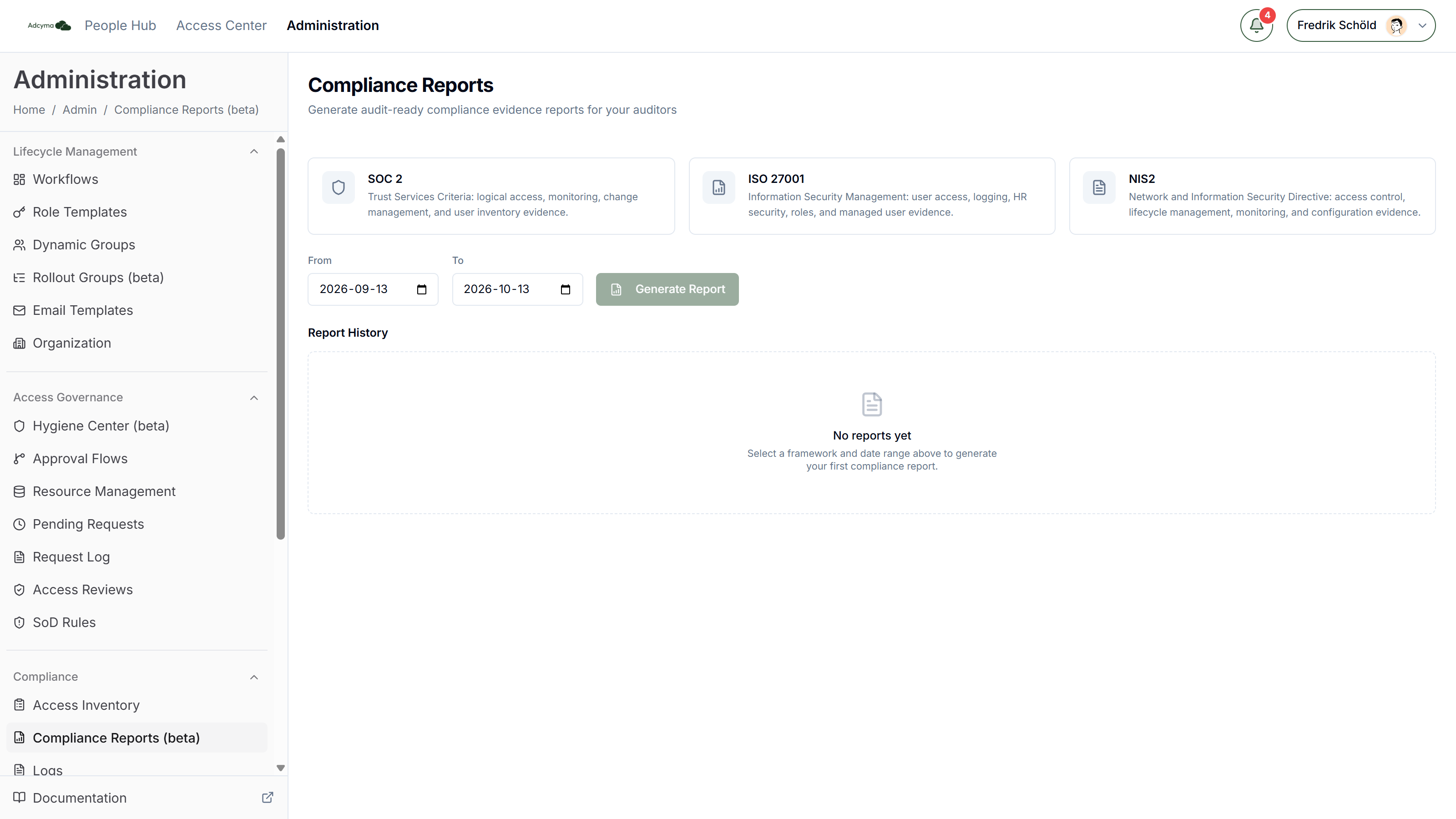
Supported frameworks
SOC 2 Trust Services Criteria evidence: logical access, monitoring, change management and user inventory.
ISO 27001 Information Security Management evidence: user access, logging, HR security, roles and managed users.
NIS2 Network and Information Security Directive evidence: access control, lifecycle management, monitoring and configuration.
Generating a report
- Click the framework card you want. It gets a check mark.
- Set From and To. The page starts with the last 30 days filled in.
- Click Generate Report.
The report is built in the background. While it runs, the button says Generating... and the page says it may take a minute depending on how much data you have. When it's done, a Download Report button appears next to it. You can leave the page; the finished report also shows up in Report History.
If the page has waited five minutes without an answer, it stops waiting and tells you to check the history table. The report keeps generating, so look there in a minute or two.
Limits
- Date range: at most 365 days, and From must be before To. For a longer audit period, generate one report per year.
- Reports in progress: at most three at once for your whole tenant, not per admin. If you try to start a fourth, you get "Too many pending reports. Please wait for current reports to complete."
- Size: a report bundle can't be larger than 50 MB. If you hit that, the report fails; try a shorter date range.
What's in the download
The download is a ZIP file named after the framework and period, for example iso27001_report_2026-01-01_2026-03-31.zip. It contains:
report.pdf, the formatted report with one section per control area- CSV files with the data behind it:
authentication_events.csv,user_lifecycle_events.csv,configuration_changes.csv,system_events.csv,managed_users_snapshot.csv,role_templates.csv,system_administrators.csvandlifecycle_workflows.csv
If you have the Identity Governance add-on, the bundle also includes access_requests.csv, access_assignments.csv and approval_flows.csv. Without it, the access governance sections in the PDF are marked as not applicable.
Report History
The Report History table lists the 50 most recent reports in your tenant, newest first.
| Column | What it shows |
|---|---|
| Framework | SOC 2, ISO 27001 or NIS2 |
| Period | The From and To dates of the report |
| Generated | When the report was requested |
| Generated by | The email address of the admin who requested it |
| Status | Pending, Completed or Failed |
What the status means:
- Pending: the report is being built. There is no download yet.
- Completed: click Download to get the ZIP file again.
- Failed: instead of a download, you see "Report generation failed. Please try again or contact support." Nothing is downloadable for a failed report.
How long reports are kept
Reports are kept for 90 days, then deleted automatically, both the history entry and the file. Download every report you hand to an auditor and keep it in your own compliance documentation. Don't rely on Adcyma as the archive.
There is no scheduled or emailed report option. Each report is generated by an admin on this page.
When a report fails
The failure message is the same whatever the cause. Things worth trying, in this order:
- Generate it again with the same settings. A temporary problem in the background worker clears on a retry.
- Try a shorter date range, in case the bundle went over 50 MB.
- Check System Logs for errors around the time you generated the report.
- If it still fails, contact support with the framework and date range you used.
Practical advice
- Generate reports on a fixed cycle, monthly or quarterly, not only the week before the audit. Gaps in evidence are easier to explain when you notice them early.
- Use the same period length each time so reports are easy to compare.
- Remember the 90-day limit. A report from last year's audit is not in Adcyma any more, so keep your own copy.