

System Logs
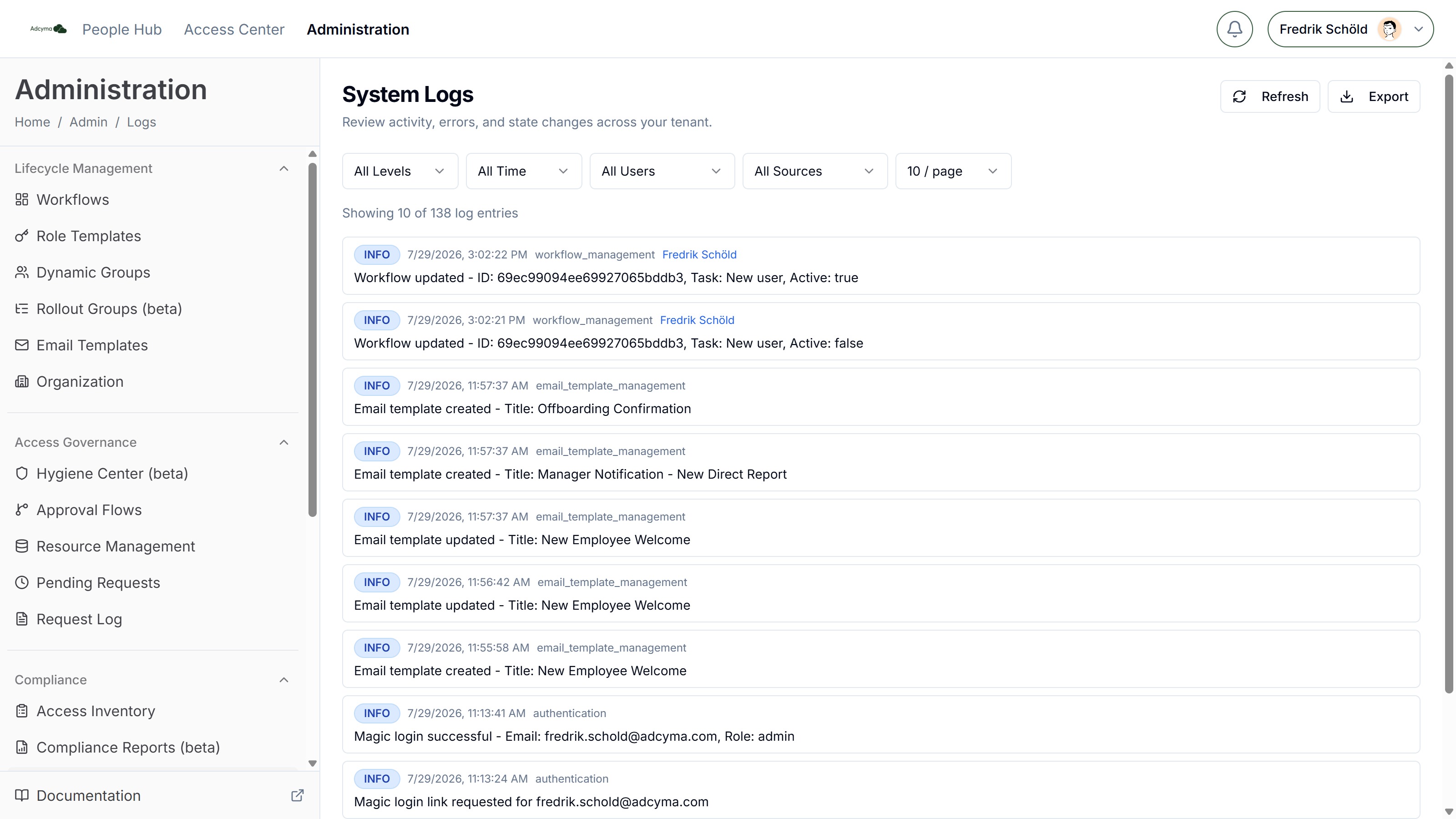
The System Logs page gives you visibility into activity, errors, and state changes across your tenant. You can use this audit trail to monitor operations, track user activity, troubleshoot issues, and keep tabs on security.
What Gets Logged
Adcyma automatically captures a wide range of system events and user activities, including:
- User management events like new user creation, profile updates, and account modifications
- Authentication activities such as successful logins and magic link requests
- Configuration changes including workflow creation, identity provider updates, and preference changes
- System operations like automated processes, synchronization events, and background tasks
- Error events covering failed operations, system errors, and exceptions
Search and Filtering
Use the filter controls to find what you need:
- Level - All Levels, Error, Warning, or Info
- Date - All Time, Today, 1 Week, 2 Weeks, 1 Month, or 1 Year
- User - Narrow to activity by a specific user or administrator
- Source - Filter by the system component that generated the entry (authentication, user management, settings management, and so on)
Expanding Log Entries
Log entries with state-tracking data can be clicked to expand a State Changes panel. For state change events, you'll see a before and after comparison showing exactly what changed, which fields were modified, who the action targeted, and the related task ID.
Export
Click Export to download all logs matching the current filter as a JSON file. This is useful for sharing with support or feeding into external monitoring tools.
Pagination
Use the Previous/Next buttons or change the items-per-page selector (10, 25, or 100) to navigate through large log volumes.
Key Benefits
Logs are useful for several purposes. You can maintain detailed activity records for audits and regulatory compliance. When something goes wrong, reviewing error logs and related events helps you pinpoint the source quickly. Authentication patterns in the logs let you spot potential security incidents. You can also track exactly who changed what and when, giving you full accountability for system modifications.