

Managed Users
The Managed Users page shows all users currently managed by Adcyma and controls which users are in scope. The header shows which group defines the scope and how many users are managed.
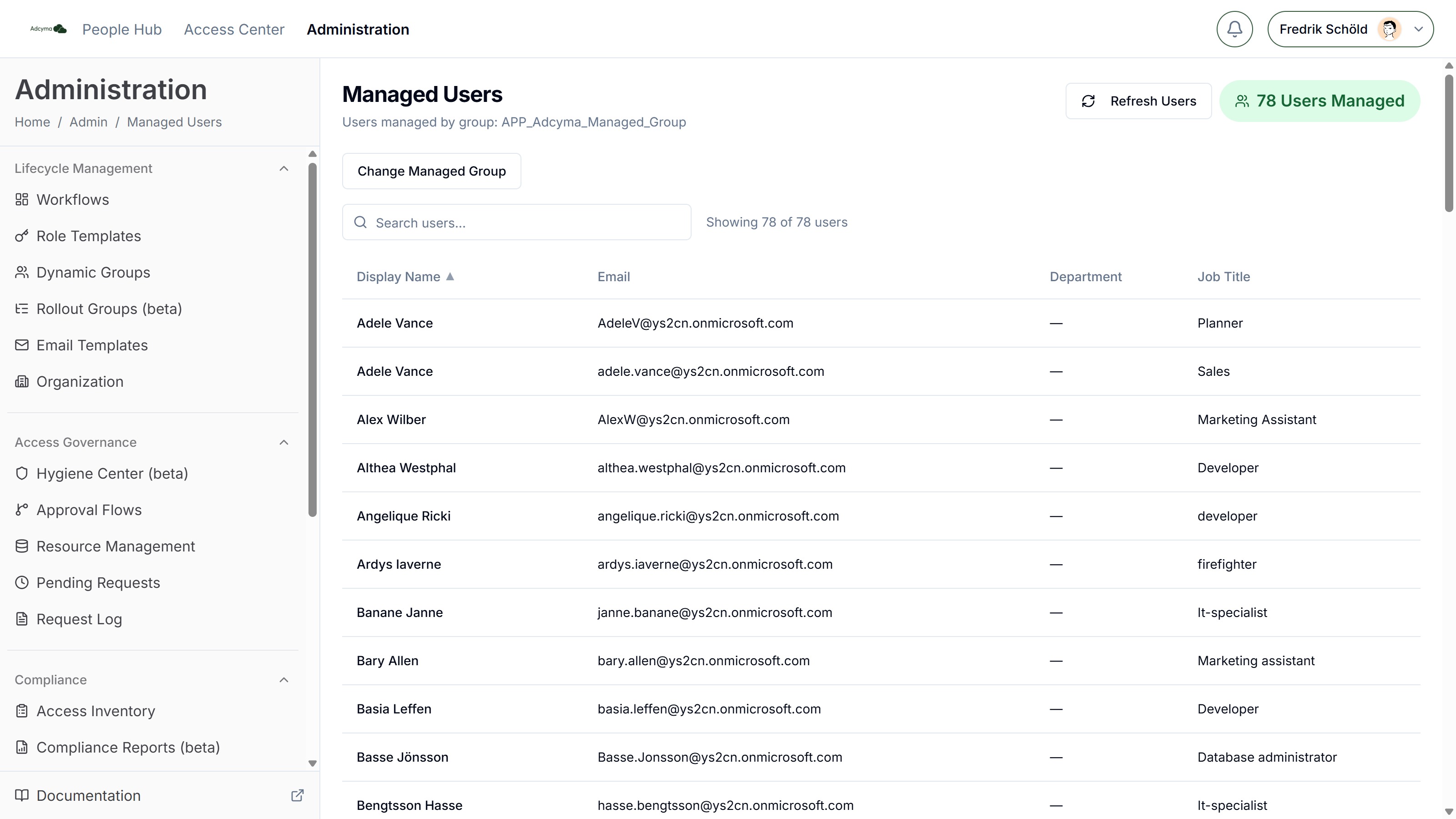
User Information Display
The table shows one row per managed user with sortable columns:
- Display Name
- Department
- Job Title
Use the search bar to filter users, and the badge at the top right for the total count of managed users.
Managing User Scope
Adcyma manages exactly the users who are members of one designated group in your directory. Click Change Managed Group (or Configure Group if none is set yet), select the group, and click Save Group to apply.
The selected group must be a standard security group and cannot be a dynamic group. Dynamic groups prevent Adcyma from updating group membership correctly. Always use manually managed static groups.
Changing the managed group later has consequences:
- Users in the old group but not in the new one are removed from Adcyma and no longer managed
- Those users are no longer available in Adcyma, for example as managers for other users
- Any active workflow tasks involving users who are no longer managed will still execute as planned
User Data Synchronization
Adcyma automatically syncs user information from your identity provider on a schedule, so user details, group memberships, and organizational changes stay up to date.
If you need an immediate update, click Refresh Users to fetch the latest users from your directory. This is handy when you've just added new users to the managed group, updated user info in your identity provider, or need to verify recent changes right away.
Best Practices
- Use a dedicated static security group that reflects exactly the users you want Adcyma to manage, and exclude service accounts.
- Review the group's membership regularly to make sure it matches your actual needs.
- Use manual refresh when you need immediate updates. For routine changes, the automatic sync handles things on its own.
- Keep an eye on your seat limit in Billing; Adcyma won't manage users beyond it.