System Logs
The System Logs page gives you visibility into activities and events in your Adcyma environment. You can use this audit trail to monitor operations, track user activity, troubleshoot issues, and keep tabs on security.
What Gets Logged
Adcyma automatically captures a wide range of system events and user activities, including:
- User management events like new user creation, profile updates, and account modifications
- Authentication activities such as successful logins, failed attempts, and session management
- Configuration changes including workflow creation, dynamic group setup, and settings updates
- System operations like automated processes, synchronization events, and background tasks
- Error events covering failed operations, system errors, and exceptions
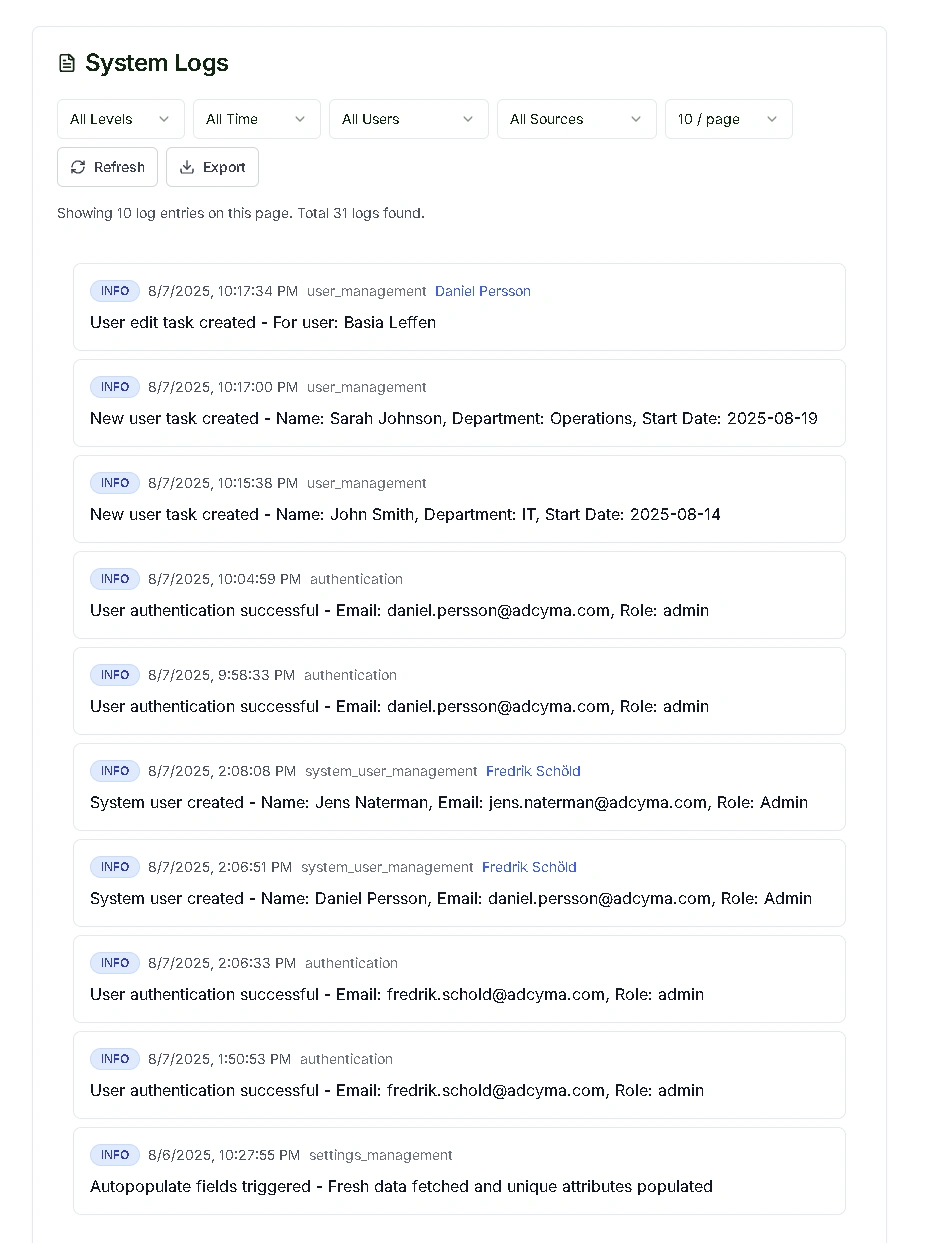
Search and Filtering
Use the filter controls to find what you need:
- Log level - Filter by All, Error, Warning, or Info
- Source - Filter by the system component or integration that generated the entry
- User - Narrow to activity by a specific user or administrator
- Date range - Limit results to a specific time period
Expanding Log Entries
Click on any log entry to expand it and see the full details. For state change events, you'll see a before and after comparison showing exactly what changed, which field was modified, and who the action targeted.
Export
Click Export to download the current log view as a JSON file. This is useful for sharing with support or feeding into external monitoring tools.
Pagination
Use the Previous/Next buttons or change the items-per-page selector (10, 25, or 100) to navigate through large log volumes.
Key Benefits
Logs are useful for several purposes. You can maintain detailed activity records for audits and regulatory compliance. When something goes wrong, reviewing error logs and related events helps you pinpoint the source quickly. Authentication patterns in the logs let you spot potential security incidents. You can also track exactly who changed what and when, giving you full accountability for system modifications.