

Organization
The Organization page holds the lists your admins pick from when they create or edit a user: departments, job titles, employee types, offices and companies. Keep these lists clean and every new account gets the same spelling of "Finance" instead of three variants.
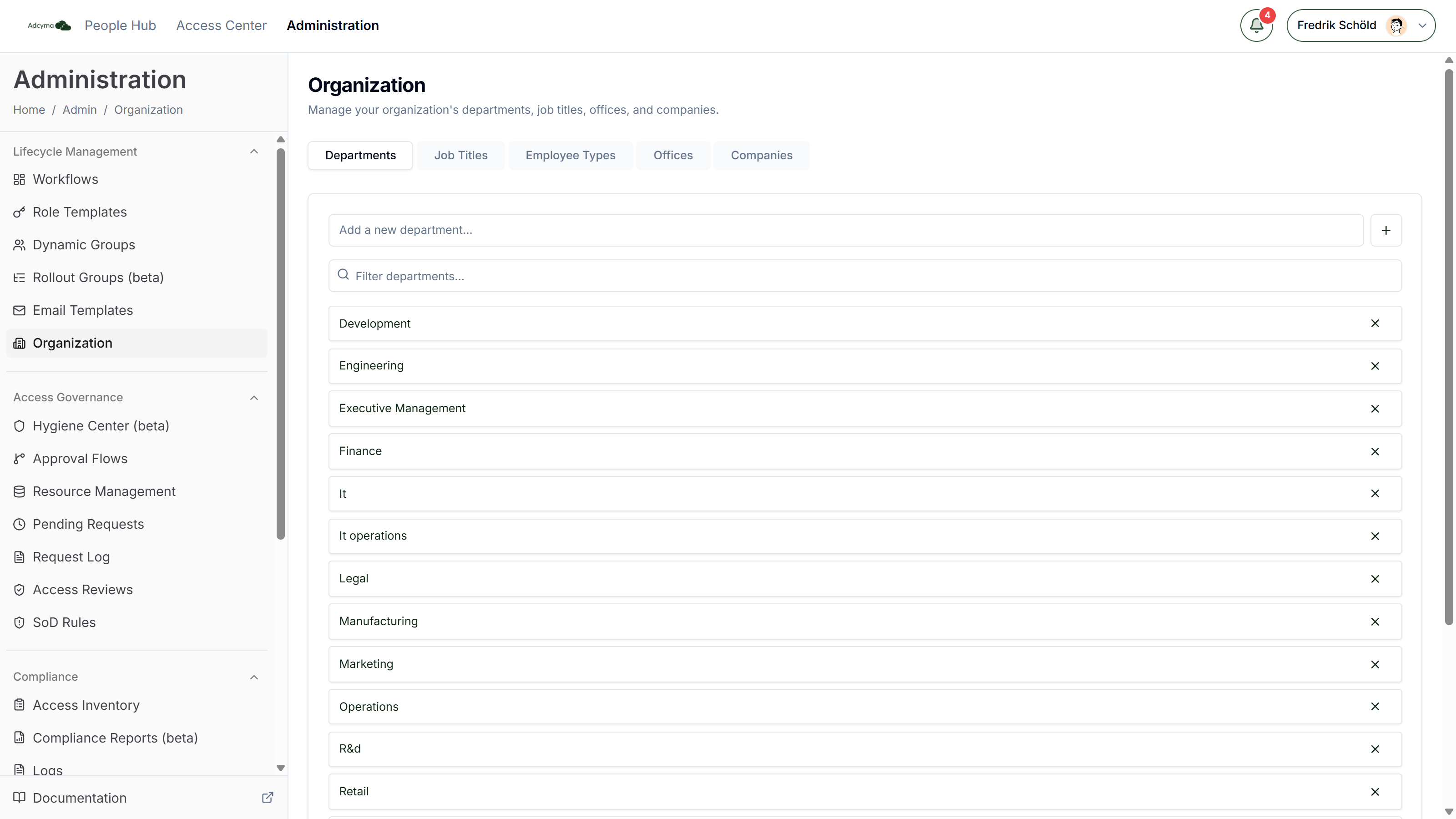
The page has five tabs: Departments, Job Titles, Employee Types, Offices and Companies. It opens on Departments.
What each list is used for
| Tab | Where the values show up |
|---|---|
| Departments | The Department field when you create or edit a user in the People Hub |
| Job Titles | The Job Title field on the same form |
| Employee Types | The Employee Type field on the same form |
| Offices | The Office field. Picking an office also fills in the user's street address, city and country |
| Companies | The Company field, for organizations that run several legal entities in one tenant |
You can also reference these values in workflow conditions and dynamic group rules. Those references match on the text of the value, so a rename or a removal here does not update them.
Departments, Job Titles, Employee Types and Companies
These four tabs work the same way. Each is a plain list of names, sorted alphabetically.
- Add a value by typing it in the field at the top and pressing Enter, or by clicking the plus button.
- Remove a value with the X on its row.
- Filter the list with the search box that appears once a list has more than ten entries.
Changes save as you make them. There is no save button, and removing a value does not ask for confirmation, so check before you click the X. If a save fails, the list goes back to how it was and you get an error message.
Exact duplicates are rejected. If you add a value that only differs in capitalization from an existing one, for example "IT" when "It" is already there, Adcyma shows a Similar entry already exists dialog. Choose Add anyway to keep both, or Cancel.
<!-- TODO screenshot: /img/OrganizationCaseDuplicateDialog.png | URL: https://portal.adcyma.com/administration/organization | "Similar entry already exists" dialog. Only capture if it can be triggered and then cancelled without saving; otherwise skip. -->
Removing a value only removes it from the dropdown. Users who already have that department, job title or company in Entra ID keep it. Workflow conditions and dynamic group rules that test for the value keep testing for it and will stop matching new users.
Offices
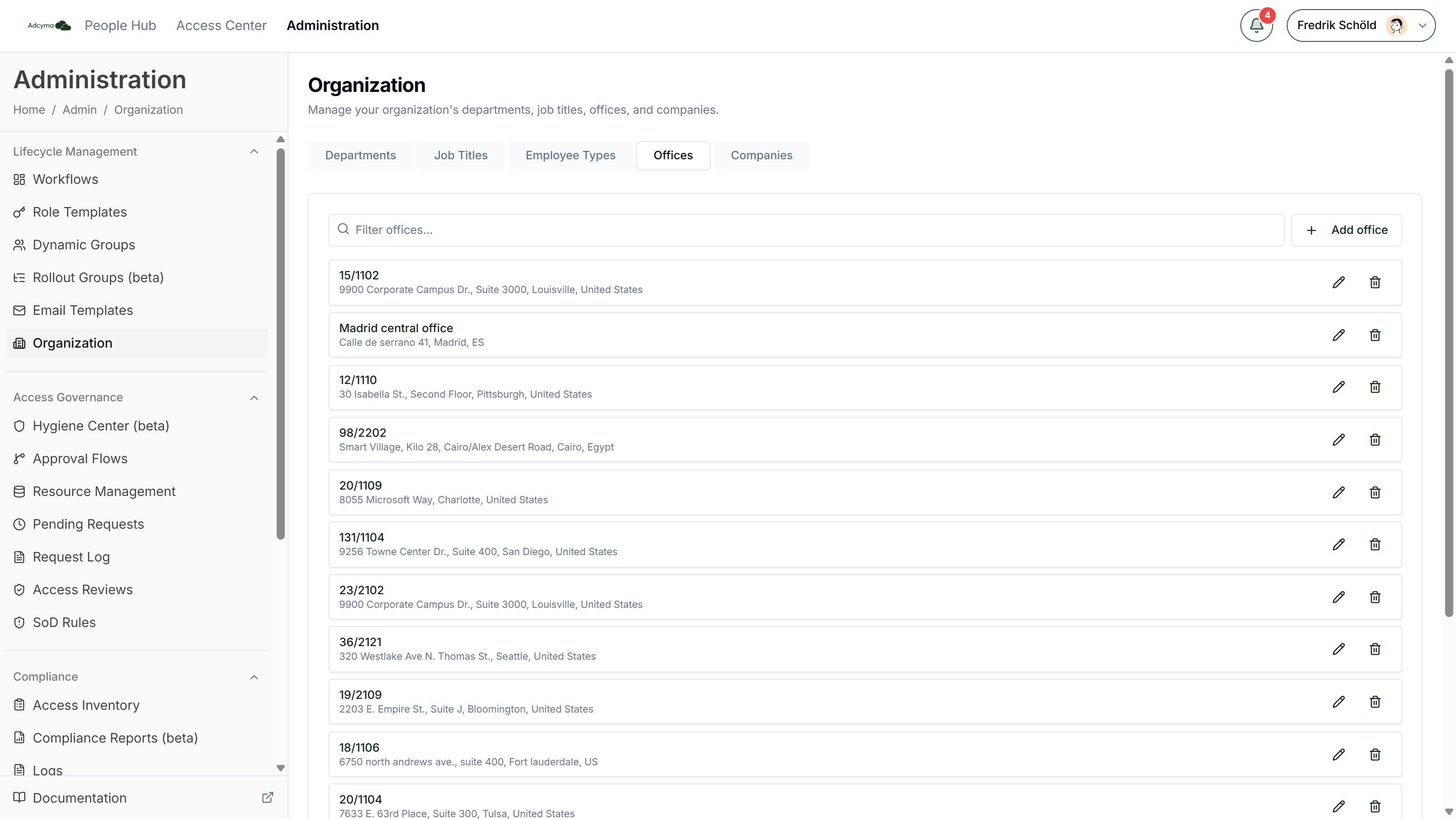
Offices carry an address, so they have their own editor. Click Add office to create one, or use the pencil and trash icons on a row to edit or delete it. Each row shows the office name with its street, city and country underneath. A filter box appears once you have five or more offices.
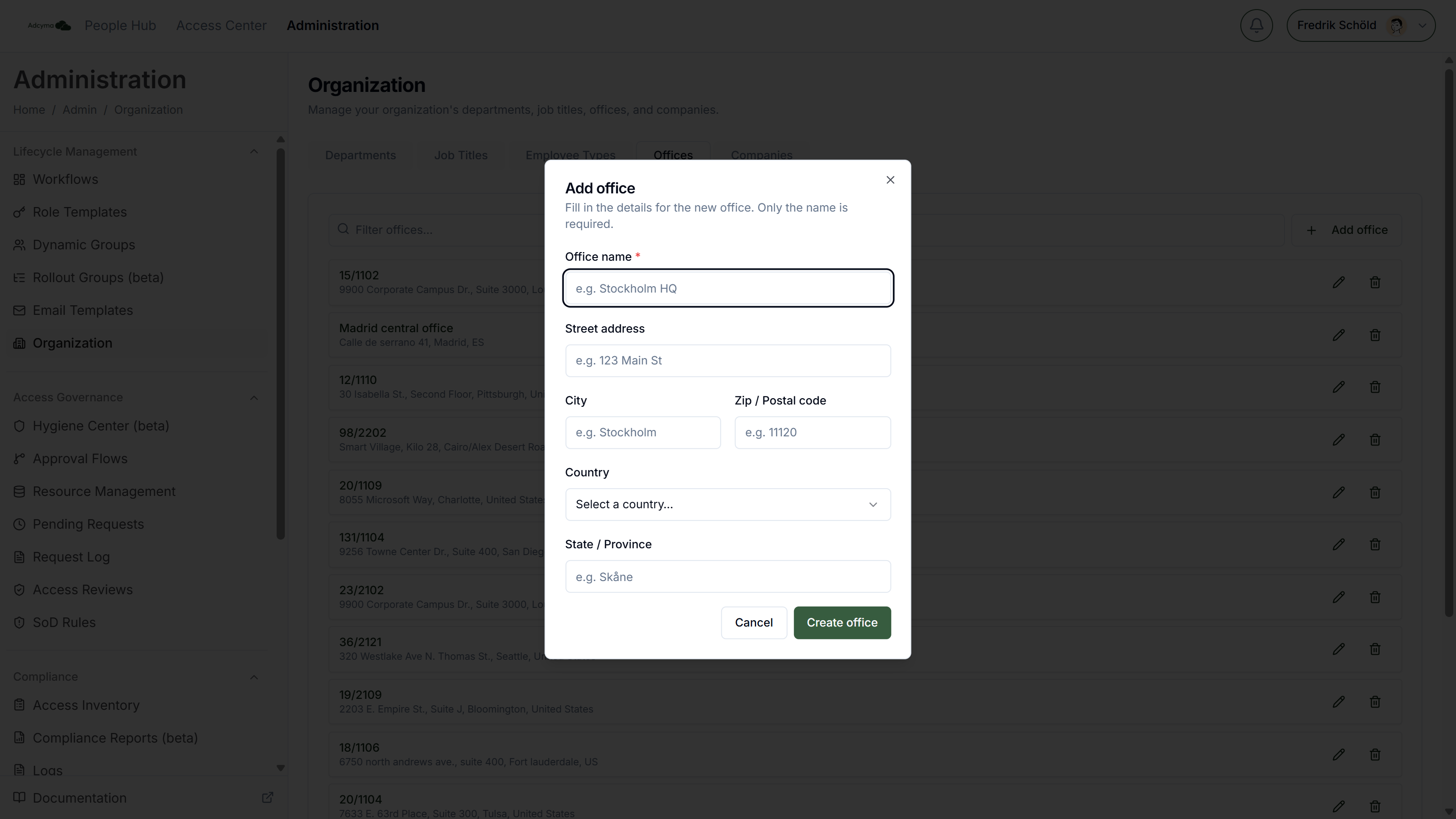
Each office has:
- Office name (required)
- Street address
- City
- Zip / Postal code
- Country, picked from a list
- State / Province
When an admin picks an office on the user form, Adcyma copies the office's street address, city and country onto the user. Zip code and state are not copied, so fill those in on the user if you need them.
Deleting an office asks for confirmation and cannot be undone.
If you change an office's name, the edit dialog warns that rules and references pointing to the old name may be affected. Workflow conditions and dynamic group rules that use the old name will not follow the rename. Update them at the same time.
Older direct links
The separate pages /administration/departments, /administration/jobtitles, /administration/companies and /administration/offices still open if you have them bookmarked. They edit the same lists as the tabs above, so a change in one place shows up in the other. They are not in the navigation any more.
The standalone Offices page has a different layout: the office list on the left and the selected office's details on the right, with an Edit button. The fields are the same. There is no standalone page for Employee Types.
Where the first values come from
During onboarding, Adcyma reads your directory and fills these lists with the values your users already have. Offices are created from the office locations on your users, using the address most of the users in that office have. Check them once, since one user with a wrong address in Entra ID will not win, but a whole office with stale data will. After that, the lists are yours. New departments or titles that appear in Entra ID later are not added automatically, and nothing you change here is written back to existing users.
If you ever need the lists rebuilt from the directory, contact support. Rebuilding replaces everything you have added or removed by hand in Job Titles, Departments and Companies, so it is not something to do casually.
Practical advice
- Agree on one spelling per value with HR before you start. "Sales", "Sales Dept" and "Sales & Marketing" become three different departments in Entra ID and three different conditions in your workflows.
- Before you remove or rename a value, search your workflows and dynamic group rules for it.
- Fill in the full address for every office. It saves your admins typing it on every new user, and it keeps address data in Entra ID consistent.